Choose your experience
Rotate your phone to landscape
to view the VS Code experience
Rotate your device to landscape
to see the full iloom experience
* ok, you still gotta pay for Claude
iloom decomposes your idea into issues, then swarms parallel agents to build the whole thing. Every part of the process gets full analysis, planning, and implementation. You can watch, you can step in, or you can go eat dinner. It's your call.
Tell iloom what you want to build. A feature, a system, an entire product.
iloom breaks it into issues with requirements, dependencies, and acceptance criteria. Review and edit before anything runs.
Parallel agents chew through the dependency graph. Each in its own isolated environment. Failed issues don't block unrelated work.
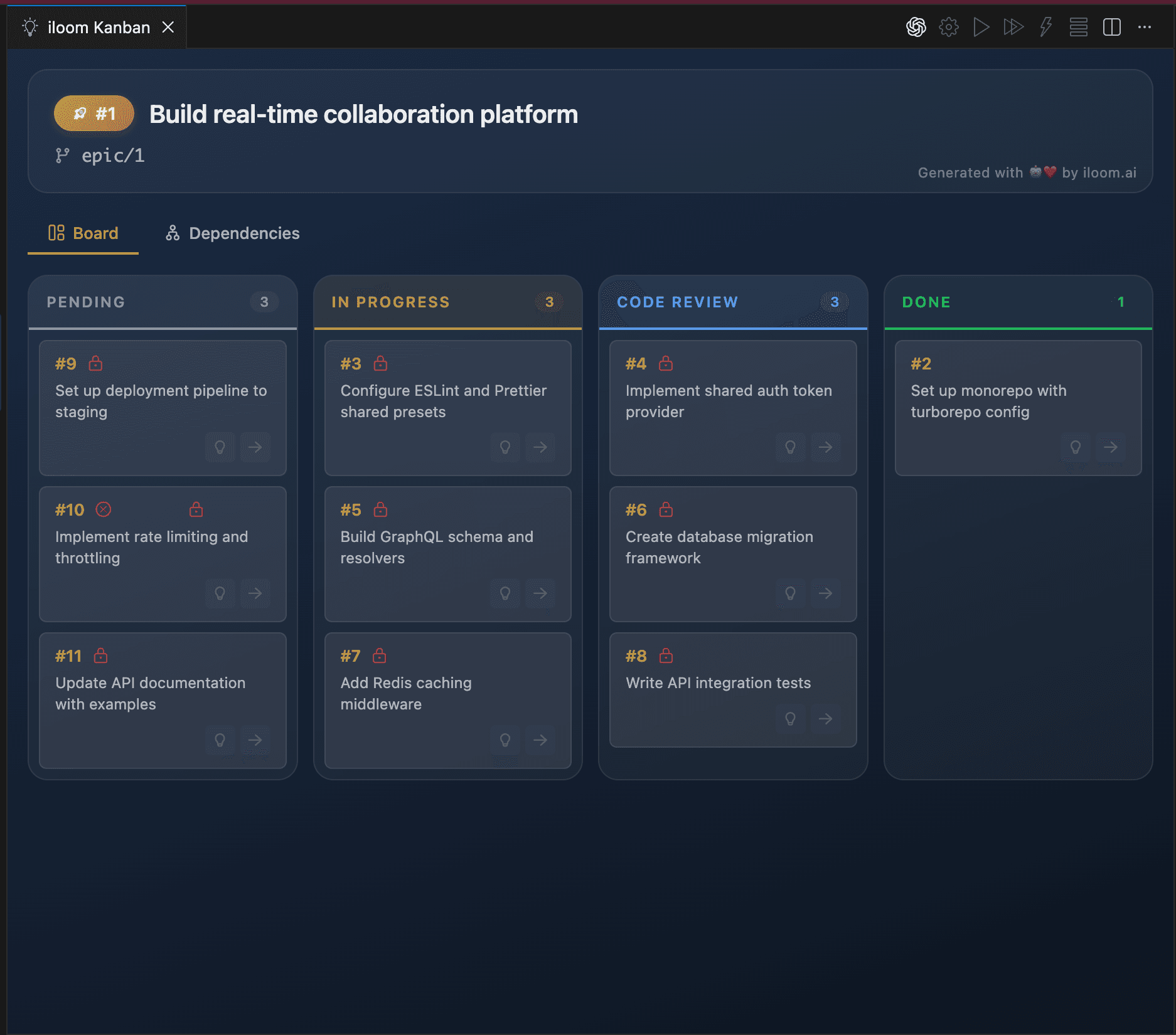
One glance. The state of the entire project.
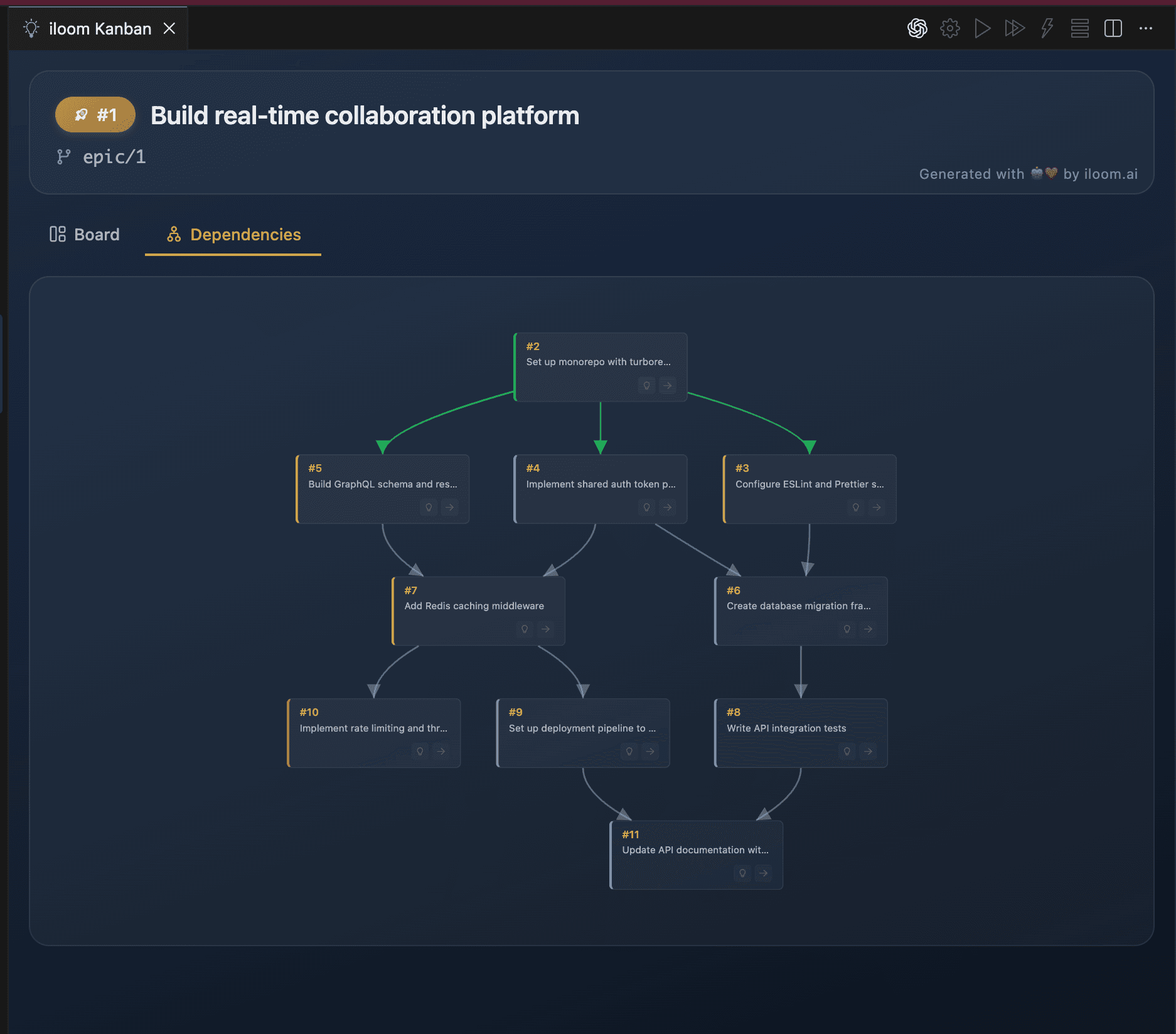
See what's blocked, what's running, what's done.
This isn't “run 5 agents in parallel.” This is autonomous execution of an entire project plan.
The only limit is your imagination. And maybe your Claude subscription.
Analyses and plans posted for your input—not just your approval.
Clean, reviewable analysis and plans. Not walls of AI text.
Progress, decisions, and risks visible to everyone. No status meetings required.
Isolated environments. Persistent context. One glance shows you what the agent decided, what's risky, and what's next.
XL feature? Spawn child looms. Work in parallel. Merge in pieces.
Fork, clone, and set up draft PRs automatically. Maintainers see your reasoning.
iloom's core functionality is free. The only cost is your existing Claude Code subscription, which you're already paying for.
Choose your path and follow along
gh auth loginclaude.ai/codeOpen your project folder in VS Code
Configure your main branch, issue tracker, and preferences
Pick an issue or describe what you want to build
Select an existing issue or type a description like "Add getting started section"
Creates an issue in your tracker to persist context and progress
Click the finish flag in the iloom explorer to wrap up
The extension will prompt you to install the CLI.
Read the full documentationRun parallel Claude sessions without conflicts.
Work on multiple issues simultaneously. Each loom gets its own worktree, database branch, and runtime. No git stash hell. No context collisions. When you switch back to a loom, everything is exactly where you left it—no re-reading old chats, no reconstructing mental state. Just pick up and go.
Every PR has its reasoning trail.
No more mystery PRs from AI. Your team sees the analysis, implementation strategy, and risk assessment in the linked issue before reviewing a single line of code.
il contribute sets up everything.
Your reasoning is visible to maintainers. Context travels with the PR. Fork, clone, and draft PR creation handled automatically—your contribution includes the full reasoning trail.
Works seamlessly with
Get updates on new features and releases.